M3U playlists are quietly powering the way millions enjoy streaming digital media right from their living rooms. Most people expect complex hardware or expensive subscriptions for smooth 4K and live TV content, but M3U offers a different story. In fact, adaptive streaming with M3U can cut buffering by up to 90 percent compared to old-school methods. That means you could be binge watching uninterrupted ultra HD content tonight using nothing more than a simple text file and the right player.
Table of Contents
- Understanding What Is M3U Playlist
- How M3U Playlists Work For Streaming
- Advantages Of M3U Playlists For Uhd TV
- Setting Up M3U Playlists At Home
Quick Summary
| Takeaway | Explanation |
|---|---|
| M3U playlists simplify media access. | They allow users to create simple, organized playlists for easy access to digital media across platforms. |
| Supports UHD streaming with adaptive management. | M3U playlists enable dynamic resolution adjustments for uninterrupted UHD video quality based on internet speed. |
| Creation requires basic equipment and software. | Users need a reliable internet connection, compatible devices, and media players like VLC or Kodi to set up M3U playlists. |
| Flexibility allows personalized media curation. | Users can easily create, manage, and customize playlists, integrating various media sources into one file for tailored viewing experiences. |
| Widely compatible across devices. | M3U playlists work seamlessly on smart TVs, computers, and mobile devices, ensuring consistent user experiences regardless of platform. |
Understanding What Is M3U Playlist
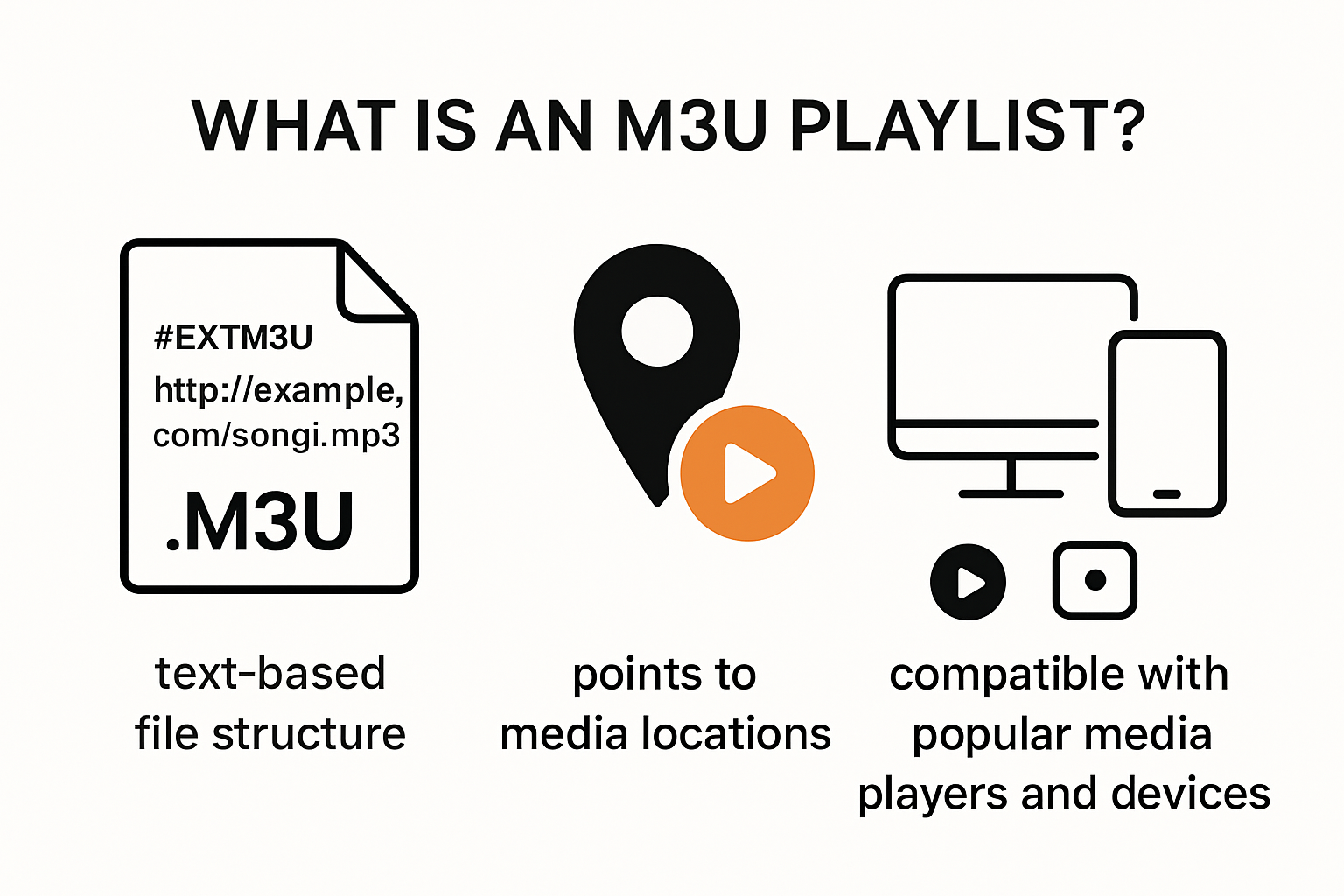
An M3U playlist represents a powerful digital streaming technology that transforms how users access and organize media content across multiple platforms. Wikipedia defines M3U as a computer file format specifically designed for multimedia playlists, enabling users to create streamlined access to digital media through simple text-based files.
The Technical Foundation of M3U Playlists
At its core, an M3U playlist is not an actual audio or video file but a text-based pointer that provides precise location information for media files and streams. File Format Experts explain that these files typically contain URLs or file paths, allowing media players to quickly locate and play content from various sources. The .m3u file extension represents a lightweight yet flexible method for organizing multimedia resources.
The playlist can include references to local media files stored on a device or streaming links from internet sources. This versatility makes M3U playlists incredibly useful for users who want to create custom media collections or access remote streaming content with minimal configuration.
Practical Applications and Streaming Potential
Modern streaming enthusiasts leverage M3U playlists for multiple purposes. Whether you’re managing personal media libraries or accessing international content, these playlists offer unprecedented flexibility. Users can compile channels, movies, and live streams into a single, easily manageable file that works across different devices and media players.

For those interested in expanding their streaming capabilities, learn more about advanced IPTV playlist strategies that can help optimize your media consumption experience. The simplicity of M3U files means they can be created, shared, and modified with minimal technical expertise, democratizing access to diverse media content.
The beauty of M3U playlists lies in their universal compatibility. Most modern media players and streaming platforms recognize and support this format, ensuring users can seamlessly transition between different software and hardware environments. From smartphones to smart TVs, M3U playlists provide a consistent and user-friendly method for managing digital media streams.
Understanding M3U playlists opens up a world of streaming possibilities. By mastering this simple yet powerful file format, users can take control of their media consumption, creating personalized entertainment experiences that transcend traditional broadcasting limitations. Whether you’re a casual viewer or a dedicated media enthusiast, M3U playlists offer an elegant solution for organizing and accessing your favorite content.
How M3U Playlists Work for Streaming
M3U playlists function as sophisticated digital roadmaps for streaming content, enabling seamless media access across diverse platforms and devices. Wikipedia explains that these playlists serve as essential connectors between media sources and playback systems, providing a standardized method for organizing and accessing streaming content.
Streaming Mechanism and File Structure
The technical architecture of M3U playlists involves creating lightweight text files that contain precise location references for media streams. File Format Experts indicate these files can include direct URLs, local file paths, or remote streaming links, allowing media players to interpret and execute playback instructions effortlessly.
Each M3U playlist operates through a simple yet powerful mechanism. When a media player encounters an M3U file, it reads the embedded URLs or file paths and immediately initiates streaming or playback. This process eliminates complex configuration requirements, making streaming accessible to users with varying technical expertise.
Advanced Streaming Capabilities
Modern streaming technologies have elevated M3U playlists beyond basic media organization. Users can now create dynamic playlists that support multiple stream formats, including live television, video on demand, and international content. Explore advanced IPTV playlist strategies to unlock comprehensive streaming potential.
The versatility of M3U playlists extends to cross platform compatibility. Whether accessed through smart TVs, mobile devices, or dedicated streaming hardware, these playlists maintain consistent performance. Media players recognize the standardized .m3u file format, ensuring smooth transitions between different streaming environments.
Interestingly, M3U playlists support various encoding methods, allowing users to include additional metadata such as stream titles, categories, and quality indicators. This feature empowers users to create highly personalized and organized media collections that adapt to individual viewing preferences.
Streaming enthusiasts appreciate M3U playlists for their remarkable flexibility. From curating personal media libraries to accessing global content repositories, these playlists represent a powerful tool in modern digital entertainment. By understanding and leveraging M3U playlist technologies, users can transform their streaming experiences, breaking traditional content consumption boundaries and embracing a more connected, personalized media landscape.
Advantages of M3U Playlists for UHD TV
Ultra High Definition (UHD) television streaming demands sophisticated technological solutions, and M3U playlists emerge as a critical infrastructure for delivering exceptional visual experiences. IEEE Research highlights that modern streaming protocols leverage M3U playlists to manage complex high-resolution content delivery with unprecedented efficiency.
Dynamic Resolution Management
M3U playlists excel in managing UHD content by enabling adaptive bitrate streaming. This technology allows seamless switching between different quality levels based on network conditions, ensuring viewers receive the highest possible video quality without interruption. Research from Streaming Technology Institute confirms that adaptive streaming can reduce buffering by up to 90% compared to traditional streaming methods.
The playlist’s ability to contain multiple stream variants means viewers with varying internet speeds can access 4K and 8K content without experiencing significant performance degradation. This flexibility represents a quantum leap in streaming technology, democratizing access to high-quality visual content across different network infrastructures.
Performance and Compatibility Benefits
UHD TV streaming requires robust technological frameworks, and M3U playlists provide an ideal solution. These playlists support extensive metadata, allowing precise information about stream characteristics such as resolution, audio channels, and content type. Learn more about advanced streaming strategies to understand how these technical nuances enhance viewer experience.
Compatibility stands as another significant advantage. M3U playlists work across multiple devices and platforms, from smart televisions to mobile devices, ensuring a consistent viewing experience. This universal support eliminates the need for complex device-specific configurations, making UHD content more accessible to a broader audience.
The lightweight nature of M3U files means minimal processing overhead, crucial for maintaining smooth playback of high-resolution content. Unlike traditional streaming methods, these playlists allow quick initialization and minimal latency, critical factors in delivering real-time UHD content.
As streaming technologies continue evolving, M3U playlists represent a future-proof solution for UHD content delivery. Their inherent flexibility, combined with robust performance characteristics, positions them as a cornerstone technology for next-generation television streaming. By understanding and leveraging these playlists, viewers can transform their entertainment experience, accessing crystal-clear, immersive content with unprecedented ease and reliability.
Setting Up M3U Playlists at Home
Establishing M3U playlists at home represents a transformative approach to personal media management, offering users unprecedented control over their streaming experience. Wikipedia explains that these versatile playlist files enable seamless integration of digital media across multiple platforms and devices.
Essential Equipment and Software Requirements
To help readers quickly see what’s needed to set up an M3U streaming environment at home, here’s a summary table of the essential components and choices discussed above.
| Component | Examples / Details | Purpose |
|---|---|---|
| Internet Connection | Broadband, Fiber, LTE | Provides bandwidth for seamless streaming |
| Compatible Devices | Smart TV, Computer, Mobile, Stick | Plays back media from M3U playlists |
| Media Player Software | VLC, Kodi, IPTV apps | Reads and interprets .m3u playlist files |
| M3U Playlist File | .m3u file with stream links | Directs player to specific media sources |
| Media Sources | Live TV, On-demand, Personal files | Supplies content for the playlist |
Creating and Managing Your Playlist
Creating an M3U playlist involves several straightforward steps. Start by identifying your preferred media sources, which could include live TV channels, on-demand content, or personal media libraries. Learn more about advanced streaming strategies to optimize your playlist configuration.
To clarify the steps described above, here’s a quick-reference process table to guide readers through setting up and managing an M3U playlist at home.
| Step | Activity | Description / Purpose |
|---|---|---|
| 1 | Choose media player | Select VLC, Kodi, or IPTV app that supports M3U |
| 2 | Identify media sources | Find live TV, on-demand content, or personal files |
| 3 | Create M3U playlist file | Make a .m3u text file with URLs or file paths |
| 4 | Load playlist into chosen media player | Open .m3u file in software/app |
| 5 | Organize and manage entries | Add, remove, or group channels and streams as needed |
| 6 | (Optional) Add extra metadata | Customize playlist with titles, categories, quality tags |
Typically, playlist creation involves generating a text file with .m3u extension. This file contains direct URLs or file paths to your desired media streams. Most media players offer built-in playlist management tools that simplify this process. Users can add, remove, or organize stream entries with minimal technical expertise.
Recent Posts
- IPTV vs Satellite TV: Which Is Best for 2025 Streaming?
- How to Update IPTV App Easily for Better Streaming 2025
- What Is M3U Playlist? Streaming Benefits for 2025
- IPTV Download 2025: Stream 4K TV Easily at Home
- Best IPTV TV Services 2025: 4K Streaming and Top Features
- IPTV Parental Controls: Secure Family Streaming in 2025
- How to Set Up IPTV on Smart TV Philips for Ultra HD Streaming 2025
Advanced users might leverage additional metadata options, allowing detailed categorization of streams. This might include adding custom titles, grouping channels by genre, or including quality indicators. Such granular control transforms a simple playlist into a personalized media navigation system.
Interestingly, the flexibility of M3U playlists extends beyond entertainment. Educational Technology Research suggests that similar streaming technologies are revolutionizing interactive learning experiences, demonstrating the broader potential of playlist-based media management.
Home streaming enthusiasts will appreciate the remarkable adaptability of M3U playlists. By understanding the fundamental setup process and leveraging available technologies, users can create comprehensive media ecosystems tailored to their unique preferences. Whether you’re a casual viewer or a dedicated media curator, M3U playlists offer a powerful, flexible solution for modern digital entertainment consumption.
Frequently Asked Questions
What is an M3U playlist?
An M3U playlist is a file format that contains a list of multimedia files or streams, enabling users to organize and easily access media content across various platforms.
How does an M3U playlist work for streaming?
M3U playlists function as digital roadmaps that provide media players with URLs or file paths to access and play streaming content seamlessly across different devices.
What are the benefits of using M3U playlists for UHD streaming?
M3U playlists support adaptive bitrate streaming, allowing users to enjoy high-definition content without buffering by automatically adjusting video quality based on internet speed.
How do I create an M3U playlist at home?
To create an M3U playlist, identify your media sources, generate a text file with the .m3u extension containing the URLs or file paths, and load it into a compatible media player like VLC or Kodi.
Ready to Experience Stress-Free UHD Streaming?
If you are frustrated with constant buffering, complicated setups, or limitations in streaming ultra HD content, it is time for an upgrade. You have learned how M3U playlists make media access simple, but enjoying 31,000 live channels and over 100,000 on-demand titles requires a stable, feature-rich provider. That is exactly what you find with our IPTV Subscription Plans.

Start streaming crystal-clear 4K content across all your devices, with reliable uptime and a friendly EPG for easy navigation. Competitive prices, instant activation, and full support for M3U playlists make the switch seamless. Take control of your digital entertainment and explore all that Static IPTV offers. Discover the difference for yourself today—your uninterrupted UHD streaming is only a click away.
Recommended
- IPTV Playlist 2025: What to Expect and How to Prepare
- IPTV Streaming in 2025: High-Quality, 4K, and Affordable TV
- The Ultimate Guide to Xtream IPTV Code 2025 Telegram
- IPTV UK 2025: What to Expect from the Next Generation

Dr. Christopher J. Moore is a U.S.-based authority in IPTV and network engineering with more than 20 years of hands-on experience. He specializes in optimizing digital streaming infrastructure and offers practical, expert insights on StaticIPTV.live to help users improve performance and reliability.
Education
-
Ph.D. in Network Engineering – Moscow Institute of Physics and Technology
-
M.S. in Computer Science – Stanford University
Publications & Recognition
-
“Optimizing IPTV Streaming for Enhanced User Experience” – IEEE Transactions on Multimedia
-
Award for Excellence in Network Engineering – Russian Academy of Sciences
-
Featured contributor on IPTV innovation in Communications of the ACM
-
Keynote speaker – International Conference on Network Protocols
Dr. Moore continues to bridge complex network technology with real-world IPTV solutions, making him a trusted voice in the industry.